
Pattern Generator for Perforated Panel Design | HoleSnap
Use HoleSnap Pattern to create a repeatable perforated screen from a simple image. Compare layout, hole shape, pitch, density, and open rate.
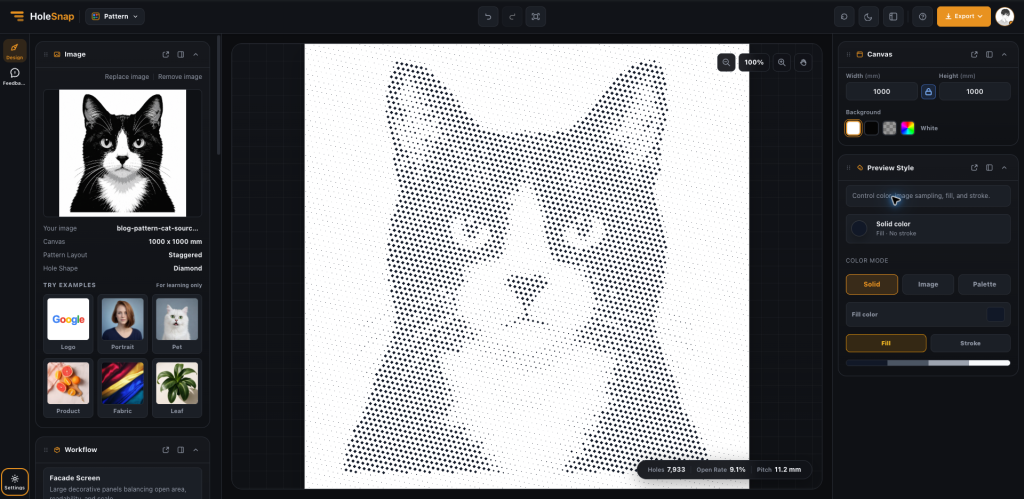
Design a Decorative Perforated Screen from a Simple Image
Decorative perforated screens often need repeatable geometry, not just an attractive image. HoleSnap Pattern is a browser-based pattern generator for decorative perforated panels. Start with a simple image, then compare layout, pitch, density, hole shape, and image mapping before developing the panel further.
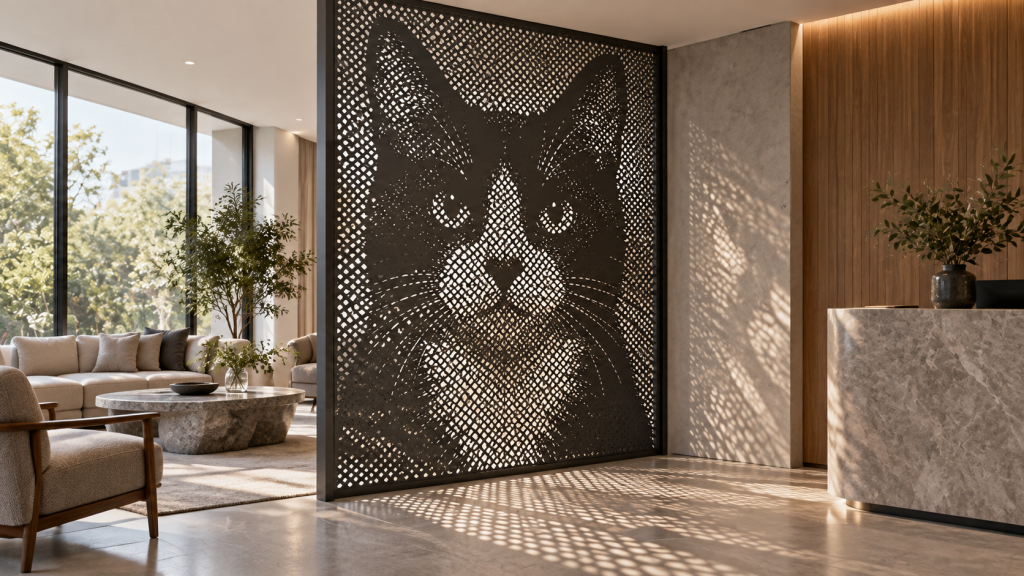
A concept visualization shows the pattern as a framed room divider: the source image becomes a recognizable graphic, while the openings filter light and views. It is an application study, not a completed project or a replacement for the geometry preview and fabrication checks.
Where can a perforated pattern be used?
A controlled pattern can support several architectural decoration ideas:
- interior partitions that filter views while keeping a sense of openness;
- reception backdrops, corridor walls, ceilings, and acoustic design studies;
- cabinet doors, equipment enclosures, exhibition panels, and semi-outdoor screens.
The same geometry can feel dense and private in a close interior or light and transparent in a larger screen. The final choice depends on viewing distance, lighting, material, and the way the panel is framed.
Use a simple image as a design input
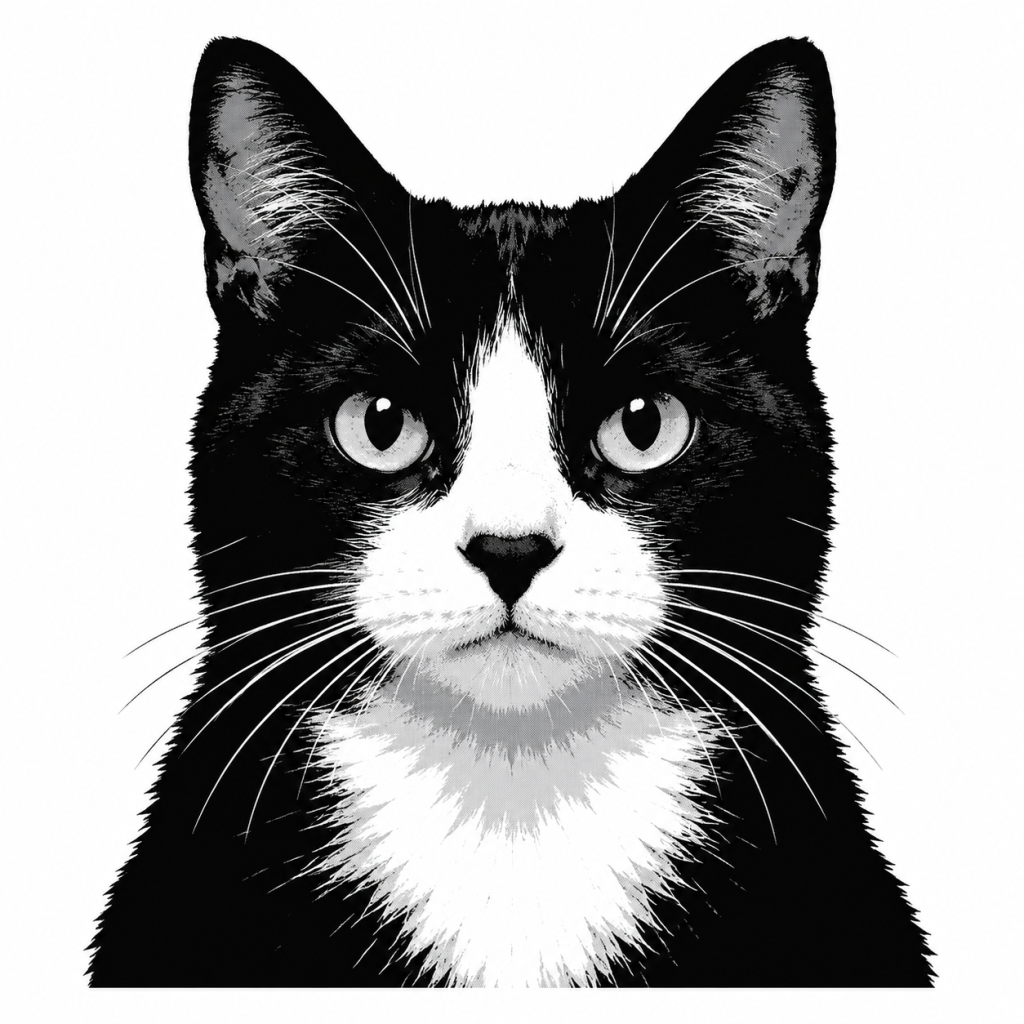
Pattern does not require a complex architectural photograph. A high-contrast cat portrait is a useful test because the eyes, ears, and face need to remain recognizable as the holes change size. The same process can be applied to a logo, leaf, product mark, or abstract graphic.
Build the surface step by step
Start in Canvas by entering the real panel width and height. Then compare the options in Pattern Layout:
- Grid is easy to align across modular cabinet or wall panels.
- Hex creates a continuous honeycomb-like rhythm.
- Staggered breaks strict rows and can make the surface feel more textile-like.
- Graphic is useful when directional movement matters more than mechanical repetition.
Switch between Circle, Square, Diamond, and Triangle hole shapes to change the character of the panel without changing the source image. Pitch controls the spacing; Density controls the amount of visual information; Rotation, Offset, and Jitter can reduce repetition or introduce direction.
The real tool screenshot uses the cat source on a 1000 × 1000 mm canvas with a Staggered layout and Diamond holes. At an 11.2 mm pitch, the preview contains 7,933 holes and a 9.1% open rate. This is a useful reference for testing a decorative square panel, not a universal setting for production.
Match the pattern to the function
For an interior partition, begin by checking how much of the adjacent space should remain visible. For a feature wall, prioritize the overall silhouette from the intended viewing distance. For a vent or acoustic concept, use the open rate as a comparison metric, then validate airflow or acoustic performance separately.
The image mapping controls help shape the result. Min/Max Diameter, Contrast, Gamma, Threshold, and Detail determine how strongly light and dark areas affect the geometry. A design that looks attractive at 100% zoom may become visually noisy when repeated across a large wall, so compare a full panel view with a close-up.
Export and fabrication review
PNG is useful for sharing a concept, SVG for editing vector geometry, and DXF for a CAD/CAM workflow. After export, check units, boundaries, closed paths, minimum bridge width, material thickness, and panel joints. Open rate is a design metric; it is not by itself a guarantee of acoustic, ventilation, or structural performance.
Pattern is most valuable at the beginning of a project. It turns a visual idea into a set of comparable geometric options, helping the designer decide what should be repeated, how open the surface should feel, and which version is ready for technical development.
For image-led facade graphics, see HoleSnap Image to Perf.