
Turing Maze Pattern Generator: Create Labyrinth and Fingerprint Vectors Online
Create continuous labyrinth, fingerprint, and flowing-band vector patterns with the new Turing Maze generator in HoleSnap Flow Scene, then export SVG or DXF.
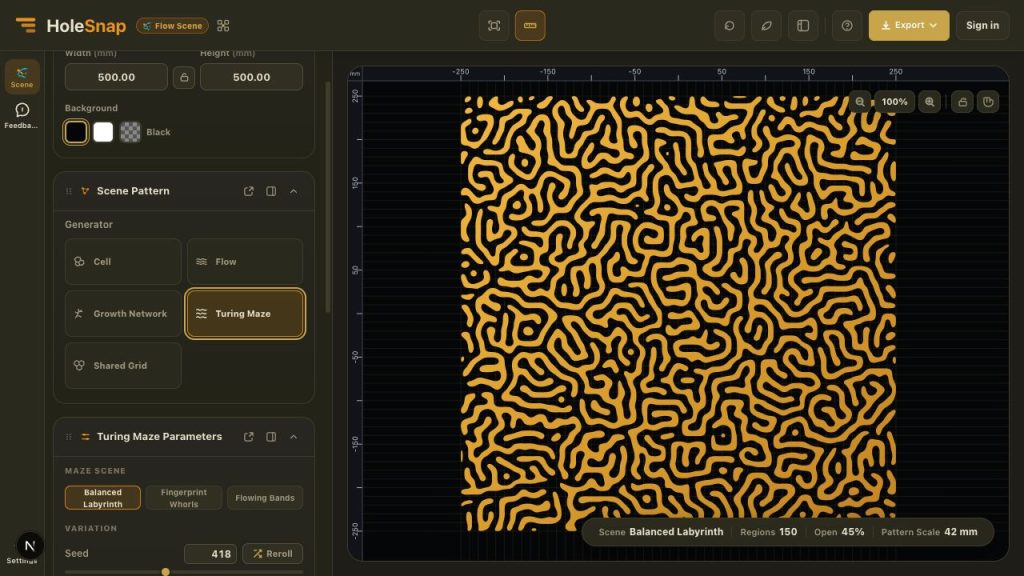
HoleSnap Flow Scene now includes Turing Maze, a procedural generator for continuous labyrinth, fingerprint, and flowing-band patterns.
Instead of drawing hundreds of curved paths by hand, you can choose a maze scene, adjust its scale and openness, and evaluate the result directly on a millimeter-based canvas. The generated geometry can then be exported as SVG or DXF for further design work.
Three starting scenes
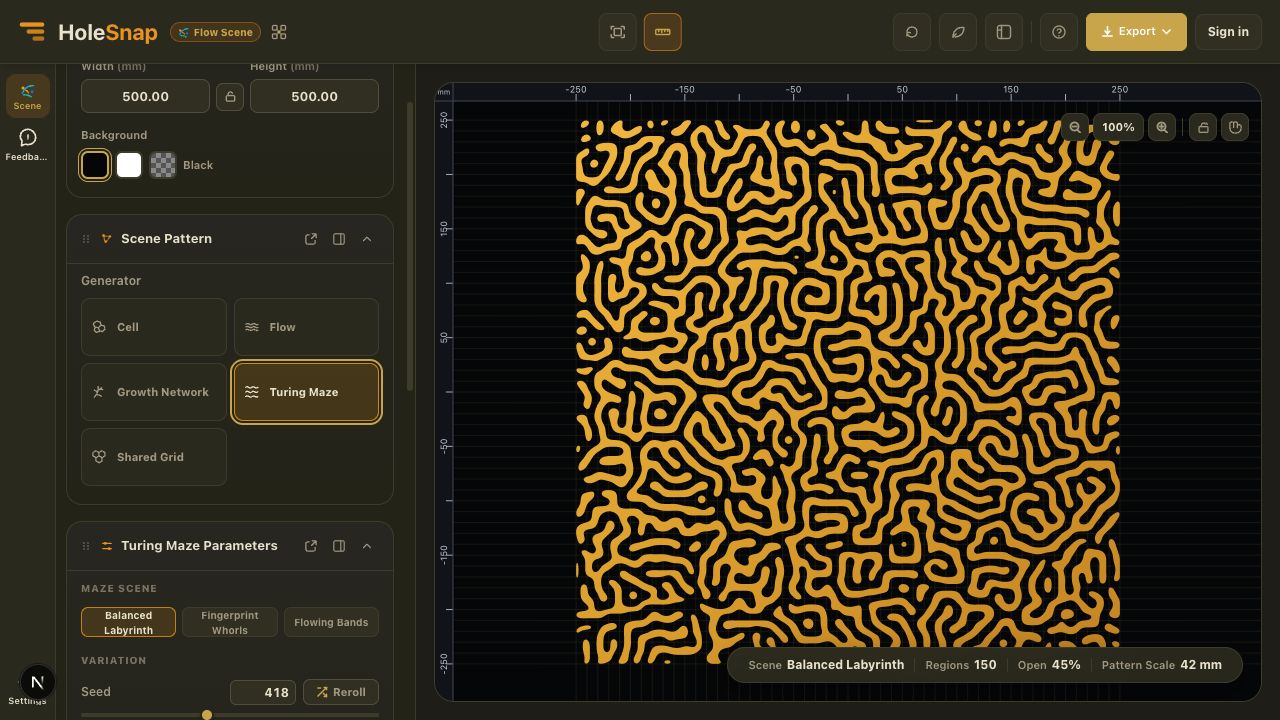
Turing Maze currently provides three scene types. Each uses the same core workflow but produces a different visual direction.
- Balanced Labyrinth creates an irregular field of connected maze-like contours. It is a useful starting point for decorative screens, abstract surface graphics, and organic grille concepts.
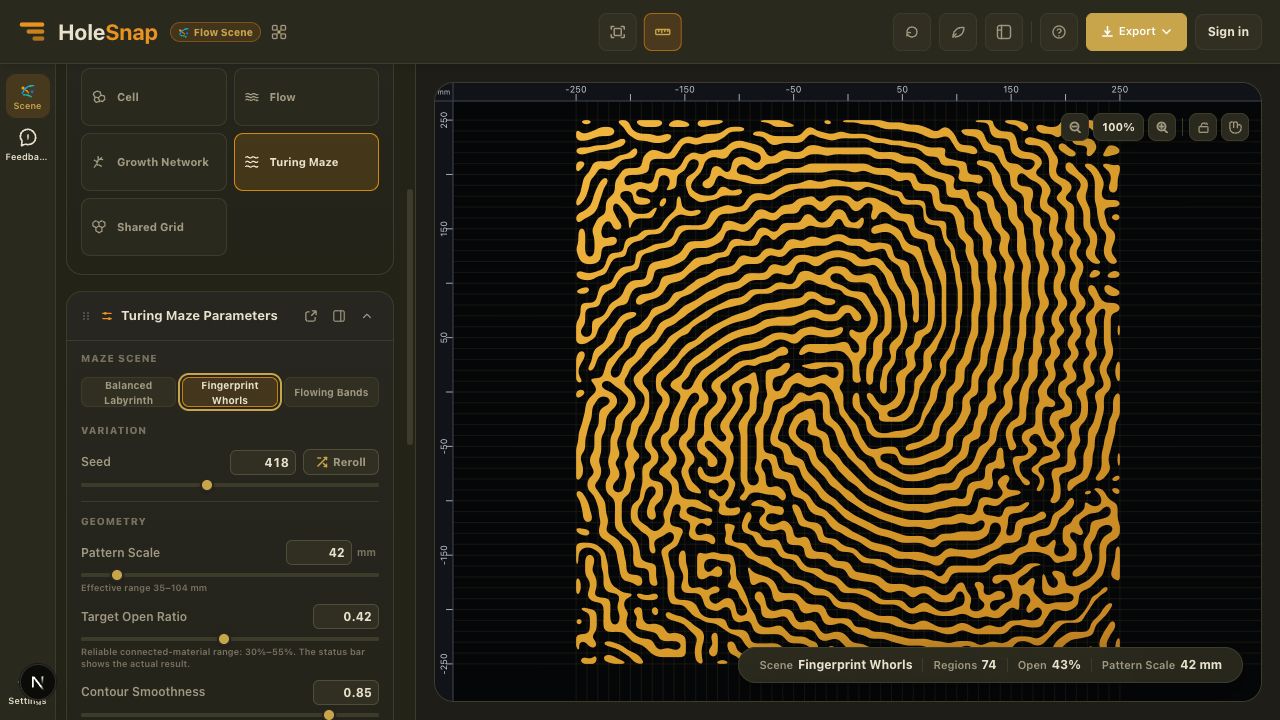
- Fingerprint Whorls bends the pattern around a movable center to create concentric, fingerprint-like flow. Use it when the design needs a clear focal point.
- Flowing Bands organizes the contours around a dominant direction. It works well for patterns that need a stronger sense of movement across a panel.
The scenes are starting recipes, not fixed graphics. Changing the seed or geometry controls produces a new result while keeping the selected scene’s overall character.
Control the pattern structure
The main Turing Maze controls are designed to answer three practical questions: how large should the pattern feel, how open should it be, and how smooth should the exported contours become?
- Seed creates repeatable variations. Keep the same seed and settings when you want to return to the same pattern.
- Pattern Scale changes the characteristic spacing and size of the maze bands. A smaller value creates finer detail; a larger value creates broader forms. The editor shows an effective range based on the current canvas.
- Target Open Ratio steers the generator toward a more open or more filled result. The reliable connected-material range shown in the editor is 30% to 55%, and the status bar reports the actual result.
- Contour Smoothness smooths the preview and exported contours. It is a visual geometry control, not a physical corner-radius value in millimeters.
Fingerprint Whorls also provides Center X, Center Y, and Whorl Density controls. Flowing Bands adds Direction and Flow Coherence so you can decide how consistently the bands follow the chosen orientation.
A practical workflow
- Open HoleSnap Flow Scene.
- Set the canvas width, height, background, and aspect behavior.
- Select Turing Maze in the Scene Pattern panel.
- Choose Balanced Labyrinth, Fingerprint Whorls, or Flowing Bands.
- Adjust Pattern Scale, Target Open Ratio, and Contour Smoothness.
- Refine the scene-specific controls or reroll the seed to explore another variation.
- Add a rectangular or circular boundary and choose Hide or Trim.
- Review the status bar, then sign in to export SVG or DXF.
Where Turing Maze fits
Turing Maze is useful when a regular grid feels too mechanical but a completely freehand pattern would take too long to build. Possible starting points include decorative panels, privacy screens, light-diffusing surfaces, product textures, graphic artwork, laser-cut pattern studies, and CNC concepts.
The generator creates vector pattern geometry; it does not create a complete manufactured part. Before fabrication, inspect the exported file in the target CAD, vector, or CAM software. Check dimensions, units, closed contours, narrow material areas, boundary behavior, and the limitations of the selected material and machine.
The displayed Target Open Ratio guides generation, while the status bar shows the actual result. Neither value is a manufacturing certification.
Export an editable starting point
SVG is useful for vector design, illustration, and many laser workflows. DXF provides a practical handoff for CAD and CAM review. Flow Scene exports require sign-in and use the current daily export allowance.