
Custom 1U Rack Vent Panel Design: Pattern to DXF Review
See how HoleSnap Mesh lays out a custom 1U rack vent panel, applies edge margins, checks 113 circular holes, and exports a millimeter DXF for CAD review.
From Mesh Pattern to Rack-Panel Review
This example uses HoleSnap Mesh to lay out a custom 1U rack vent panel before CAD review and quotation. It is a geometry study—not a manufactured sample, production-approved drawing, or airflow test.
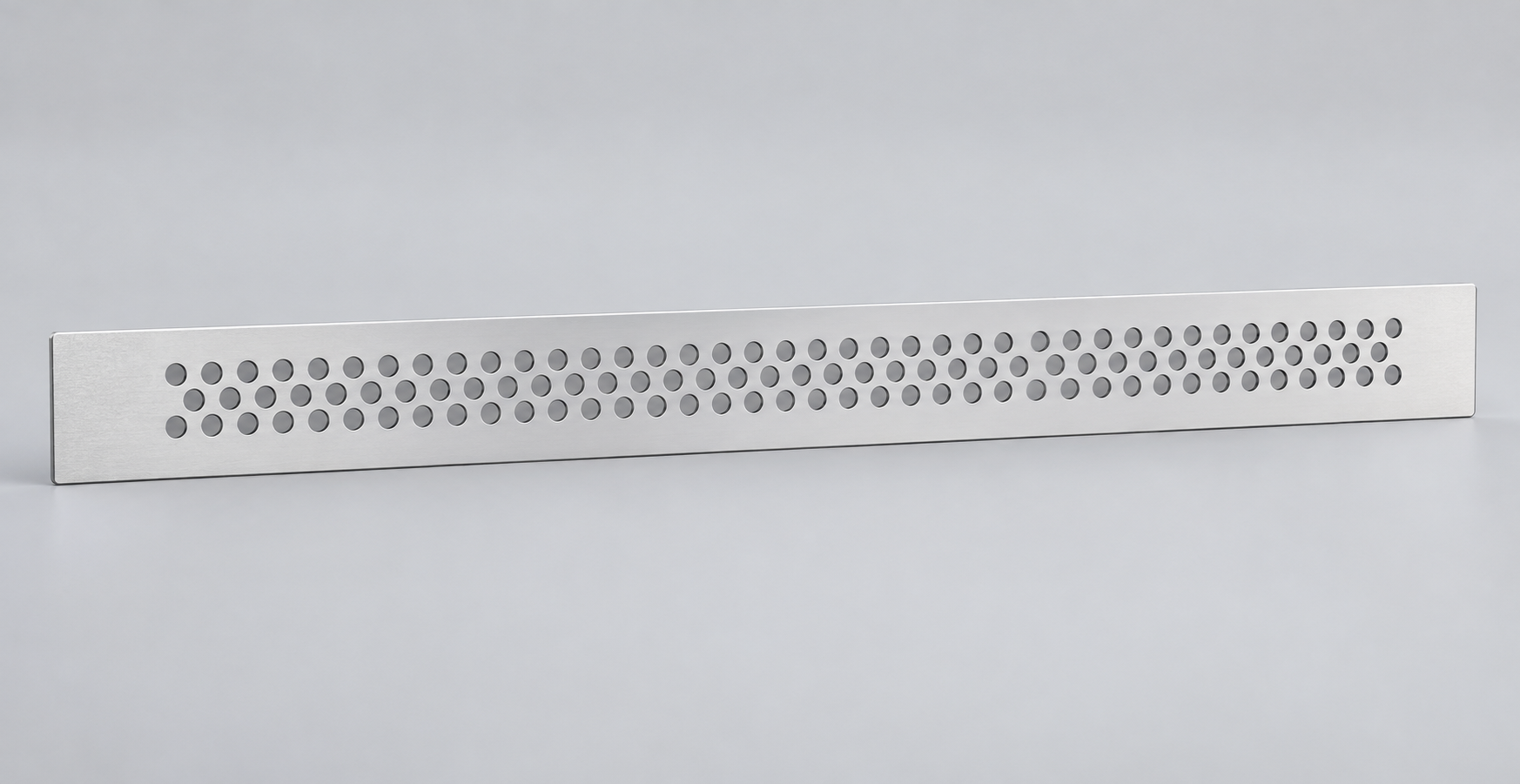
The canvas uses a nominal 19-inch, 1U envelope (482.6 × 44.45 mm), not a verified finished blank. Confirm the real outline, mounting features, flanges, and clearances from the equipment drawing. Example no-pattern margins are 18 mm at the sides and 6 mm at the top and bottom; adjust them to the actual part.
Mesh Settings and Result
| Setting | Example |
|---|---|
| Layout / holes | Staggered hex / circle |
| Hole diameter | 7.5 mm |
| Horizontal / row pitch | 11.7 / 8.2 mm |
| Row offset | 50% |
| Pattern result | 113 holes; 2.6 mm minimum bridge |
| Estimated open area | 23.2% |
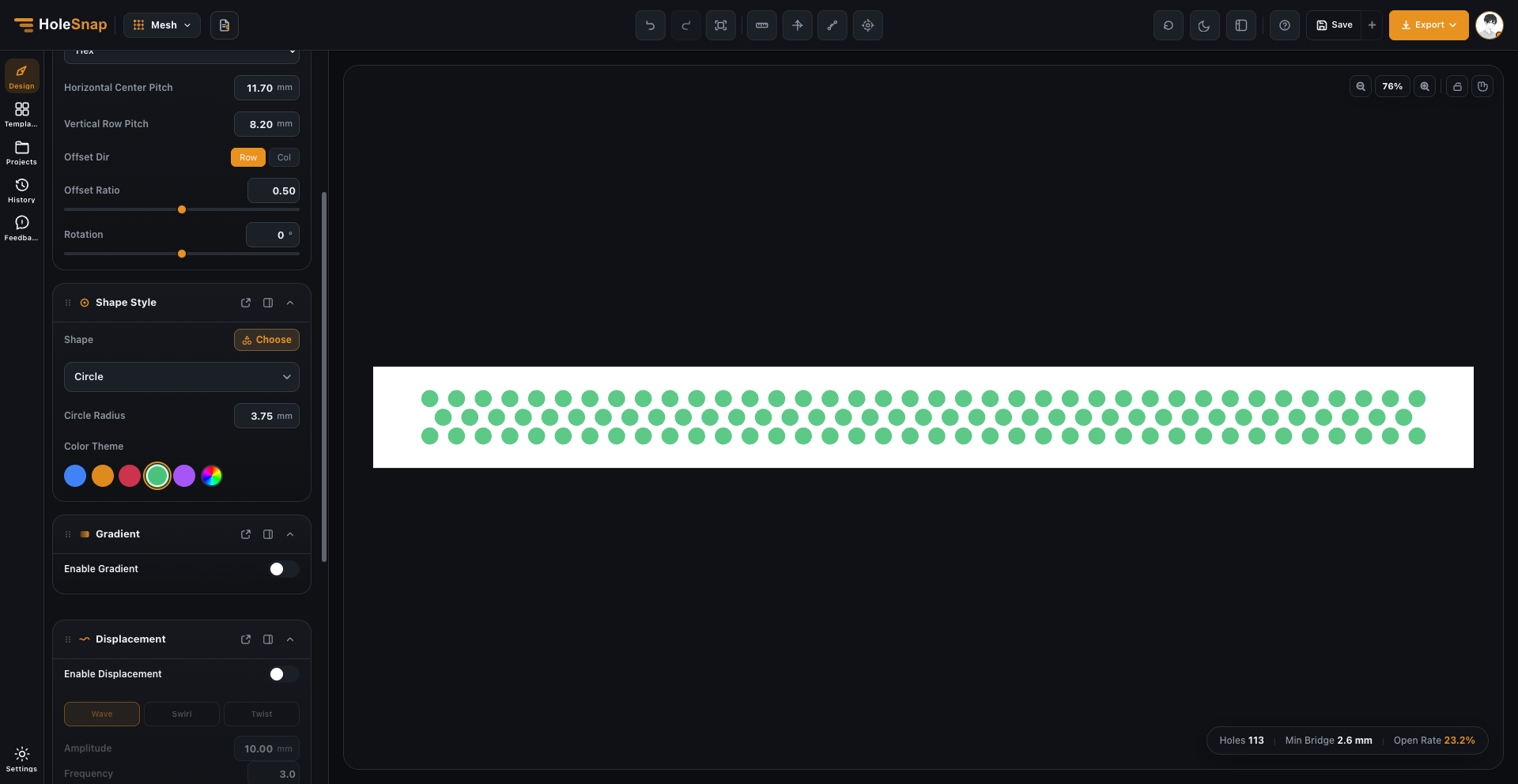
Screen Before Fabrication
The material under discussion is 1.6 mm 5052-H32 aluminum, subject to confirmation by the selected fabricator. One supplier’s laser-cutting guidance uses a minimum hole size equal to sheet thickness and a bridge gap of at least 50% of thickness. This example clears those screening values, but shop rules and machine limits vary. Use HoleSnap’s Bridge Width Checker and Open Area Calculator for preliminary checks, then get the complete drawing reviewed by the shop.
The DXF contains 113 circle entities in millimeters and an internal usable-area boundary—not the finished panel perimeter. Add the actual outline, mounting holes, cutouts, and any bends in CAD. Send the shop the full drawing with material, thickness, quantity, finish, tolerances, mounting details, and no-cut zones. Open area alone does not predict airflow or cooling.
Try HoleSnap Mesh
Use HoleSnap Mesh to compare hole size, pitch, and layout before completing the part drawing.